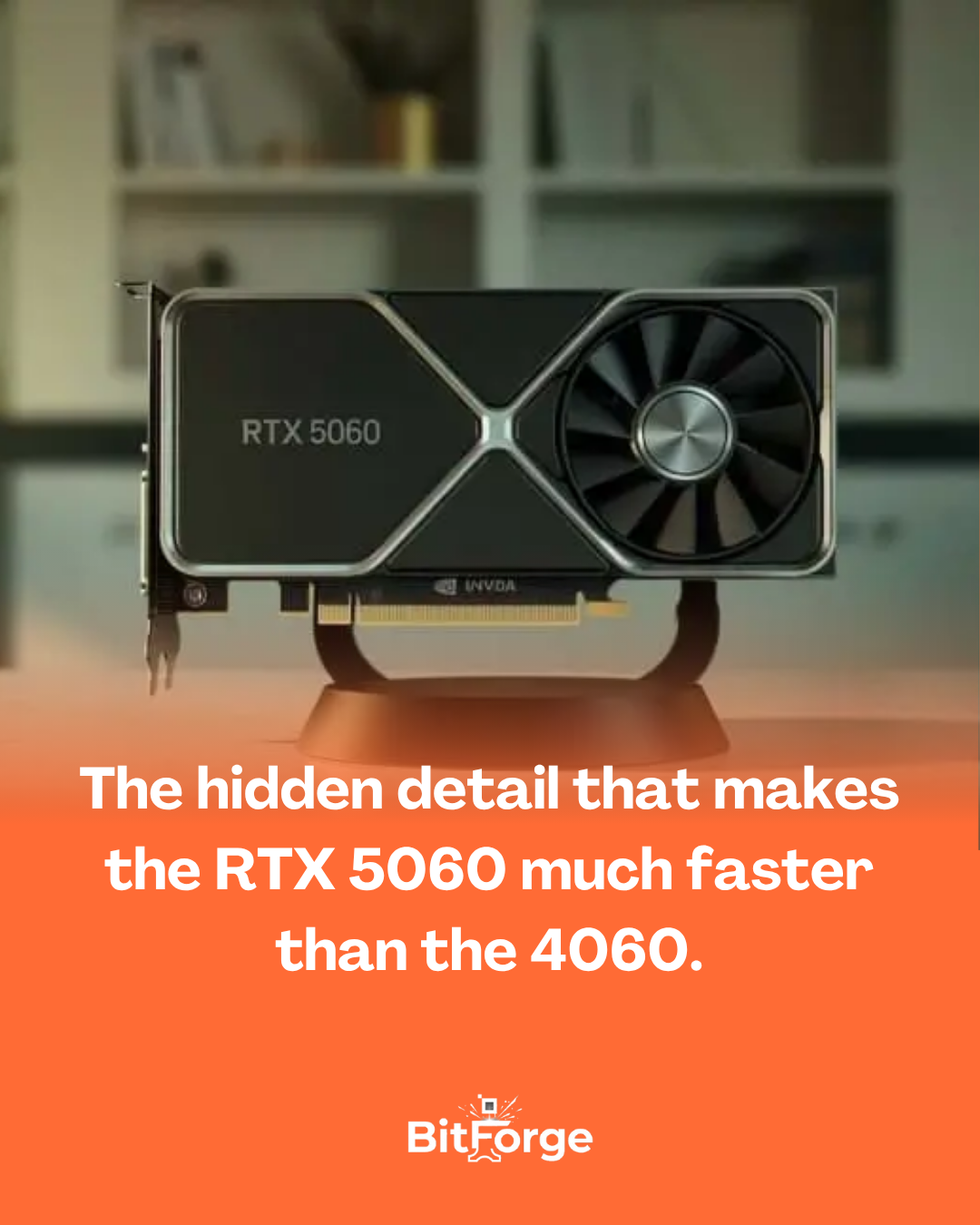

The RTX 5060 has the same 8GB of VRAM as the previous generation… but there’s one detail that makes it much faster.
When many people saw the specifications for the NVIDIA GeForce RTX 5060 , one criticism immediately arose:
“Only 8 GB of VRAM again?”
At first glance, it seems that the NVIDIA GeForce RTX 4060 and the new generation have barely evolved in this respect. But there’s a technical detail that significantly changes the game — the type of memory used.
The RTX 5060 uses GDDR7 memory , while the 4060 used GDDR6 . It may seem like just a technology change, but the impact is quite significant.
What changes in practice?
Even with 8 GB of VRAM , the RTX 5060 manages to achieve significantly higher bandwidth for accessing this data.
- RTX 4060 → around 272 GB/s
- RTX 5060 → around 448 GB/s
This represents an increase of over 60% in the speed at which the board accesses information from memory .
In other words,
it’s not just the amount of memory that matters— the speed at which it’s used also makes a big difference.
Why does this improve performance?
This increased bandwidth is especially helpful for tasks that involve large amounts of data, such as:
- loading heavy textures in games
- ray tracing
- AI technologies such as NVIDIA DLSS 4
- higher resolutions
This means that, even with the same amount of VRAM, the RTX 5060 can power the graphics processor much faster , avoiding bottlenecks and improving performance in various scenarios.
The interesting thing here
Many people evaluate video cards by looking only at the amount of VRAM .
But the RTX 5060 clearly shows that memory speed and bandwidth can be just as important as quantity .
Sometimes, 8 GB of fast RAM can yield much more than 8 GB of slower RAM.
Frequently Asked Questions:
1. What is an NVMe SSD and what differentiates it from other types of storage? NVMe stands for Non-Volatile Memory Express, and it’s essentially a communication protocol developed specifically for modern solid-state storage. Unlike SATA SSDs—which use an interface originally created for mechanical hard drives—NVMe communicates directly through the motherboard’s PCIe bus, the same high-speed path used by the graphics card. This architectural difference is fundamental and explains much of the speed gain. The SATA protocol was designed decades ago to handle the physical limitations of mechanical disks and simply cannot take advantage of the true potential of modern flash memory chips. NVMe was created from scratch for this type of storage, without the burden of SATA’s technological legacy.
2. Are NVMe speed figures real or just manufacturer marketing? The numbers are real under controlled test conditions, but they deserve context to be interpreted correctly. A current-generation NVMe SSD can achieve sequential read speeds above 7,000 MB/s, while a SATA SSD is limited to about 550 MB/s and a mechanical HDD barely reaches 150 MB/s. These speeds are measured by transferring large, continuous files, which is the most favorable scenario for any type of storage. In real-world day-to-day use, which mainly involves reading and writing small, random files—such as operating system files, program settings, and game saves—the difference between NVMe and SATA is smaller than the numbers suggest, but still quite noticeable in practice.
3. Is the speed difference of NVMe noticeable in daily use or does it only appear in benchmarks? It’s noticeable in daily use, but not in everything. Windows startup, opening heavy programs, loading games, and transferring large files are the moments where NVMe clearly and immediately stands out compared to SATA. A system with NVMe boots in less than ten seconds, opens Photoshop or any other heavy software in moments, and loads games in a fraction of the time of a mechanical hard drive. The difference between NVMe and SATA is already smaller and less noticeable for the average user in simple tasks like browsing the internet or editing text documents — but in professional workflows with large files, the advantage of NVMe becomes much more evident.
4. Is it worth paying more for an NVMe if the PC already has a SATA SSD installed? It depends on the usage. For most home users who use their PC for browsing, office work, streaming, and casual gaming, the difference between a high-quality SATA SSD and a mid-range NVMe in everyday use is small enough not to justify the switch just for the sake of it. The real leap in quality of life happens when switching from a mechanical hard drive to any SSD—SATA or NVMe. If the budget is limited and the choice is between a high-quality SATA SSD and a basic entry-level NVMe, the high-quality SATA might be the smarter choice. But if the usage involves video editing, working with large files, or modern games with long loading times, the investment in NVMe quickly pays for itself in productivity.
5. Is there a real difference between Gen 3 and Gen 4 NVMe for common use? For home and gaming use, the practical difference between PCIe Gen 3 and Gen 4 is smaller than the numbers suggest. Gen 4 theoretically doubles the available bandwidth compared to Gen 3, but in real-world day-to-day use—system startup, opening programs, loading games—the perceived difference is marginal for most users. The scenarios where Gen 4 truly excels are very large and continuous file transfers, professional video editing workloads at very high resolutions, and applications that rely on extremely low latency. For the user who will use the SSD in their home PC, a quality Gen 3 NVMe delivers an excellent experience at a generally more affordable price.
6. Does NVMe run hotter than other types of storage, and is that a problem? Yes, NVMe runs hotter than SATA SSDs, and in some cases this can be a real problem. High-performance NVMe SSDs can reach high temperatures during intense and prolonged transfers, triggering thermal throttling—which automatically reduces speed to protect the component. Many modern motherboards already include metal heatsinks over the M.2 slots precisely to deal with this heat. In PCs with good ventilation and using the motherboard’s heatsinks, this rarely becomes a problem in normal use. But in notebooks or compact systems with limited ventilation, the heat from the NVMe can be a real factor affecting sustained performance during long transfers.
7. Does NVMe make a difference for gaming, or are loading times the same as SATA? It makes a difference in loading times, but not in in-game performance itself. Frame rate, graphics quality, and gameplay experience are determined by the GPU, CPU, and RAM—storage doesn’t influence these aspects. Where NVMe shines in gaming is in level loading speed, the fluidity of open-world games that continuously load assets as the player moves, and game installation and update times. In modern titles with very large files, the difference in loading time between a mechanical hard drive and an NVMe can be minutes to seconds—a dramatic improvement in the experience. Between SATA and NVMe, the difference in gaming exists but is less dramatic.
8. What is the lifespan of an NVMe SSD compared to a mechanical HDD? Modern NVMe SSDs have a more than adequate lifespan for normal home use. Manufacturers specify durability in TBW — terabytes written — and a mid-range quality NVMe SSD typically supports hundreds of terabytes written over its lifespan, which for the home user represents many years of worry-free use. Mechanical HDDs, because they have moving parts, are more susceptible to failure due to impact, vibration, and mechanical wear over time. SSDs have no moving parts, making them more resistant to shocks and vibration — especially relevant for laptops. The main recommendation, regardless of the storage type, remains the same as always: maintain regular backups of important data.
9. Is there a significant quality difference between NVMe SSD brands, or will any brand do? There is a real difference, and it’s worth researching before buying. NVMe SSDs from recognized brands invest in higher-quality controllers, more durable NAND memory chips, and optimized firmware that maintains consistent performance over time. Generic SSDs or those from unknown brands often use lower-quality memory chips and simpler controllers, which can result in performance drops after the write cache is exhausted, greater degradation over time, and lower reliability. It’s not necessary to buy the most expensive model on the market, but avoiding the cheapest and least known options is a valid recommendation, especially for the drive where the operating system and important data are stored.
10. So, is NVMe just marketing or is it really worth it in 2026? It’s worth it, but with the right perspective. NVMe isn’t just marketing—the speeds are real, the productivity gains are real, and the user experience of a system with NVMe is genuinely better than with a mechanical hard drive. The point where the marketing exaggerates is in the comparison between generations of NVMe for home use—the difference between Gen 3 and Gen 4 in everyday use is too small to justify a much higher price for most users. The real transformative leap happens when migrating from mechanical hard drives to any SSD, and NVMe makes that leap even bigger. In 2026, with NVMe SSD prices at historically affordable levels, there’s no reason to build or maintain a PC without one—it’s one of the best value-for-money components available on the market today.